WordPress Page Builders: How They Differ and Which One Fits Your Site (2026)
A plain-English guide to WordPress page builders, from the free block editor to Elementor, Divi and Thrive Architect, with links to every builder review and comparison on the site.
What a Page Builder Actually Does
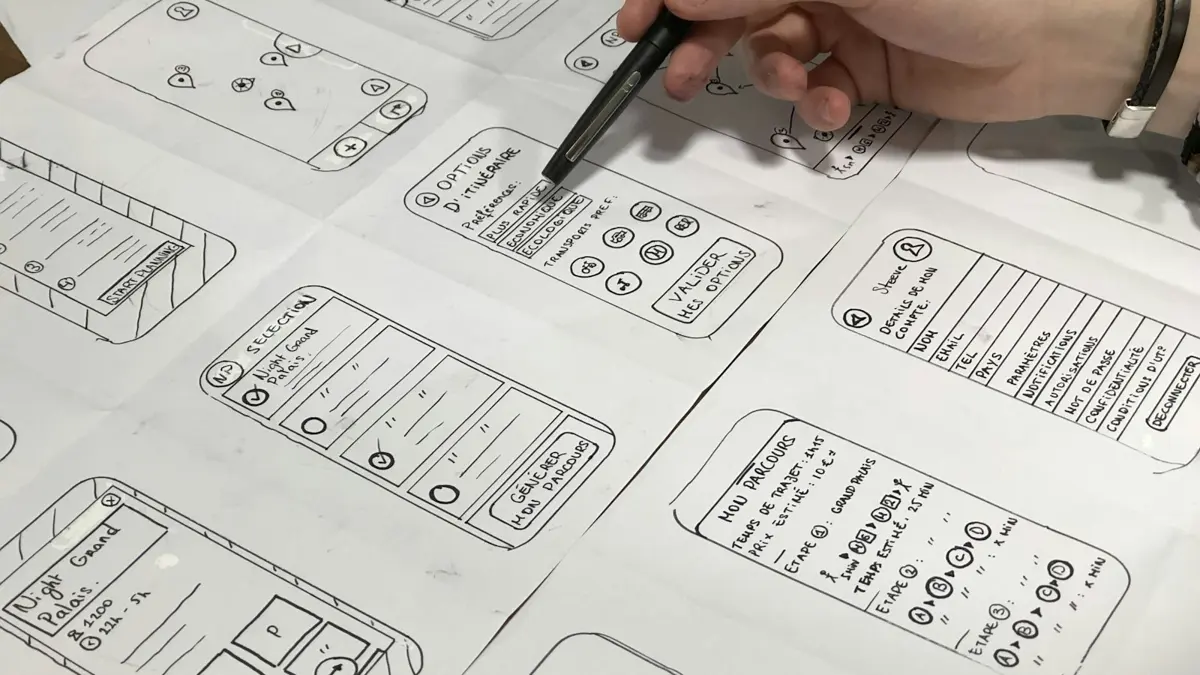
WordPress started as a blogging tool. Its editor was built for writing posts, and themes decided what each page looked like. If you wanted a homepage with a hero banner, three feature columns and a testimonial strip, you either found a theme that had that layout or paid a developer to code it.
Page builders changed that. A page builder gives you a visual canvas where you add sections, split them into columns and drop in widgets such as headings, images, buttons, forms, sliders and pricing tables. You see the design as you build it, adjust spacing and colors with sliders, and preview it on desktop, tablet and phone. No code is required for most layouts.
Today the term covers three different kinds of tools:
- Drag-and-drop page builder plugins such as Elementor, Beaver Builder and Thrive Architect. They run on top of almost any theme and replace the editing screen for the pages you build with them.
- Theme-and-builder combinations such as Divi, where the builder and theme come from the same company and are designed to work together, though the Divi Builder can also run as a plugin.
- The native block editor, also known as Gutenberg. It ships with WordPress, builds pages from blocks and, with block themes and the Site Editor, can edit whole templates. Block plugins such as Kadence Blocks, GenerateBlocks and Spectra add layout and design blocks to it.
Which one you need depends less on features and more on how you like to work, what kind of site you run and how much speed matters to you.
The Three Ways to Build Pages in WordPress
1. The Block Editor (Free, Built In)
The block editor is part of WordPress itself. Every paragraph, image, heading and button is a block, and you can group blocks into rows, columns and stacks. Block patterns let you insert pre-designed sections, and block themes such as Twenty Twenty-Five let you edit headers, footers and templates in the Site Editor.
Strengths: no extra plugin, clean markup, fast pages and content that stays portable when you change themes. Weaknesses: fewer design controls than a dedicated builder, a less visual workflow for complex layouts, and a learning curve around the Site Editor.
Most people pair the block editor with a lightweight theme such as GeneratePress, Kadence or Astra and, if needed, a block plugin for extra layout options. Our GeneratePress review covers one popular version of this setup.
2. Drag-and-Drop Builder Plugins
Elementor, Beaver Builder, Thrive Architect, Brizy, SiteOrigin and others replace the default editor with a visual front-end canvas. You click on any element to edit it and see exactly how the page will look.
Strengths: precise design control, huge template libraries, popups, forms and theme building in the premium versions. Weaknesses: heavier pages than plain blocks, layouts stored in the builder's own format, and yearly license costs for the pro features.
The Elementor review goes deep on the most popular of these, and the Elementor alternatives guide compares the rest.
3. All-in-One Theme Builders
Divi from Elegant Themes and Thrive Theme Builder from Thrive Themes combine a theme with a visual builder so you can design headers, footers, blog templates and individual pages in one system. Thrive's version adds conversion tools such as opt-in forms, quizzes and A/B testing through the rest of Thrive Suite.
Strengths: one vendor, one design system, fewer plugins to coordinate. Weaknesses: more lock-in, because the theme and the builder are tied together.
See the Divi review, the Divi vs Elementor comparison and the Thrive Themes review for these.
Page Builders Compared at a Glance
| Builder | Type | Free Version | Paid From | Sites on Entry Plan | Best For |
|---|---|---|---|---|---|
| Block editor (Gutenberg) | Built into WordPress | Yes, fully free | Free | Unlimited | Content sites, lean pages |
| Elementor | Plugin + Hello theme | Yes | $60/yr (Essential) | 1 | Visual design, freelancers |
| Divi | Theme + builder | No | $89/yr or $249 lifetime | Unlimited | Designers, agencies |
| Thrive Architect | Plugin (alone or in Thrive Suite) | No | $199/yr alone, $599/yr in Suite | 1 alone, 5 in Suite | Marketing and lead generation |
| Beaver Builder | Plugin + theme | Yes (Lite) | $89/yr | 1 | Stable client sites |
| Bricks | Theme with builder | No | $79/yr | 1 | Developers, performance |
Prices are regular list prices checked on the vendors' pricing pages in November 2026. Introductory discounts are common and renewals usually return to the list price.
Divi, Thrive Architect and Bricks are sold directly by their developers and do not appear in the WordPress.org directory, so they have no comparable install count.
The Best WordPress Page Builders, Ranked by Use
There is no single best builder, but there is a best builder for each kind of site. This ranking reflects the comparisons and reviews on this site, using November 2026 prices.
- Elementor: best overall for most people. A free version to learn on, the largest ecosystem of add-ons and freelancers, and Pro plans from $60 per year. Read the Elementor review.
- Thrive Architect: best for marketers. Landing page templates, opt-in elements and, inside Thrive Suite, A/B testing, popups, quizzes and courses from one company. Read the Thrive Architect review.
- Divi: best value for many sites. Unlimited sites from $89 per year, a $249 lifetime option and a rebuilt Divi 5 engine. Read the Divi review and Divi pricing.
- Block editor with GenerateBlocks or Kadence Blocks: best free and fastest option. Native blocks, portable content and very little front-end code.
- Beaver Builder: best for stable client sites. A simple, dependable editor from $89 per year.
- Bricks: best for developers. Lean output, CSS-level control and a lifetime plan.
Still unsure? Compare the top two directly in Elementor vs Thrive Architect or Divi vs Elementor.
Do You Need a Page Builder at All?
Before you buy anything, it is worth asking whether the free tools already cover your needs. Many sites run perfectly well without a page builder.
You probably do not need one if:
- Your site is mostly blog posts, guides or reviews with a standard layout.
- You only need a handful of simple pages, such as About, Contact and a basic homepage.
- Speed is a top priority and you are happy to work within a theme's design system.
- You are comfortable using block patterns and adjusting them.
A page builder is worth it if:
- You want pixel-level control over landing pages, sales pages or a portfolio.
- You build sites for clients who expect a visual editor they can use themselves.
- You need popups, advanced forms, dynamic templates or WooCommerce product templates without code.
- You run marketing campaigns and need to launch new pages quickly without a developer.
If you are unsure, start with the block editor and a good theme. You can always add a builder later for specific pages. Going the other way, from a builder-heavy site back to blocks, is much harder.
How Page Builders Affect Speed
Page builders add code. Each section, column and widget comes with its own wrapper elements and styles, and many builders load shared CSS and JavaScript files on every page that uses them. The block editor produces lighter markup because blocks map more directly to HTML.
How much this matters depends on the site. Builders have improved a lot. Elementor now loads many assets only when the widgets that need them are on the page, Divi 5 rebuilt its framework for performance, and Bricks was designed to output lean code from the start. With good hosting, page caching and image optimization, a well-built page on a modern builder can pass Core Web Vitals.
The practical rules are simple:
- Keep layouts shallow. Nested sections inside columns inside sections add weight fast.
- Avoid adding many third-party widget packs, each of which loads its own files.
- Use the builder only where you need it. Blog posts written in plain blocks stay fast.
- Pair the builder with a lightweight theme, such as Hello Elementor, Astra or GeneratePress.
- Turn on page caching and follow our WordPress speed optimization guide.
Our list of the fastest WordPress themes covers the theme side of this equation.
Lock-In: The Hidden Cost of Page Builders
The biggest long-term downside of a page builder is lock-in. Builders store layouts in their own format. If you deactivate Elementor, pages built with it fall back to plain text and images without the layout. Older Divi pages showed raw shortcodes when the builder was removed; Divi 5 stores new layouts in a block-based format, which reduces but does not remove the problem.
This does not mean you should avoid builders. It means you should:
- Choose a builder you expect to keep for years.
- Write long-form content, such as articles and documentation, in the block editor where possible.
- Budget for the yearly license as an ongoing cost, not a one-time purchase, unless you buy a lifetime plan.
- Keep a list of which pages use the builder so a future migration is easier to plan.
The Gutenberg vs Elementor comparison looks at this trade-off in detail.
Which Page Builder for Which Site?
| Site Type | Good Fit | Why |
|---|---|---|
| Blog or content site | Block editor + light theme | Fast pages, portable content, nothing to renew |
| Affiliate site | Block editor or Thrive Architect | Lean articles, plus conversion elements where needed |
| Small business brochure site | Elementor or Divi | Visual templates make a polished site quick to launch |
| Agency building client sites | Divi, Elementor or Beaver Builder | Client-friendly editors and multi-site licenses |
| Marketing and lead generation | Thrive Architect (Thrive Suite) | Built-in opt-ins, A/B testing and conversion templates |
| Developer-led builds | Bricks or block editor with GenerateBlocks | Clean output and fine-grained control |
| Online store | Elementor Pro, Divi or a WooCommerce-focused theme | Product and checkout templates |
For marketing pages specifically, our guide to the best landing page builder for WordPress compares Thrive Architect, Leadpages, Elementor and others on the features that matter for conversions.
How to Choose: Five Questions
1. Who will edit the site? If non-technical people will update pages, a visual builder such as Elementor or Divi is easier for them. If you or a developer will manage it, the block editor or Bricks gives cleaner results.
2. How many sites do you need it for? Elementor's entry plan covers one site. Divi covers unlimited sites on every plan. Thrive Suite covers five of your own sites. The license structure can change which builder is cheapest by a wide margin.
3. Do you need popups, forms or dynamic content? These are mostly in premium tiers. Elementor's Essential plan, for example, does not include the popup builder or form submissions, which start at Advanced Solo.
4. How important is page speed? If you rely on organic traffic and display ads, every kilobyte matters, and the block editor with a lean theme is the safest base.
5. What is your budget over three years? Add up renewals, not just the first-year price. A $249 Divi lifetime license and a $60 Elementor plan look very different after three years, and both look different from a free block-editor setup.
Page Builder Guides on This Site
The guides below go deeper on each decision:
- Elementor Free vs Pro: what the free plugin includes, what each Pro plan adds and when upgrading is worth it.
- Gutenberg vs Elementor: the free block editor against the most popular builder, on speed, ease of use, design control and cost.
- Elementor Alternatives: Divi, Thrive Architect, Beaver Builder, Bricks and block-based options compared.
- Elementor Review and Divi Review: full reviews of the two most widely used builders.
- Divi vs Elementor: a head-to-head of the two most popular visual builders.
- Divi Pricing and Divi Alternatives: what each Divi plan costs over time, and where to go if Divi is not the right fit.
- Thrive Architect Review and Elementor vs Thrive Architect: the conversion-focused builder on its own and against the most popular general builder.
- Divi vs Thrive Themes: a design-first builder against a marketing-first toolkit.
- Beaver Builder Review: the stable, client-friendly builder with Beaver Themer for theme building.
- Bricks vs Elementor: a developer-focused theme builder against the most popular builder plugin.
If you are choosing a theme at the same time, start with the best WordPress themes list and the theme guides hub.
If the terminology is confusing, our explainer on theme vs page builder vs skin maps out what each tool controls.
Our Take
For most content-led sites, the block editor with a lightweight theme is the right starting point: it is free, fast and portable. Add a page builder when you have a clear reason, such as client editing, complex landing pages or conversion tools you would otherwise have to code.
When you do need a builder, match it to the job. Elementor suits freelancers and visual designers who want the biggest ecosystem. Divi suits people who build many sites and want one predictable cost. Thrive Architect, as part of Thrive Suite, suits marketers whose pages exist to capture leads and make sales. Choose one, learn it well and keep your long-form content in standard blocks so you stay flexible.
Frequently Asked Questions
What Is a WordPress Page Builder?
A page builder is a plugin or theme feature that lets you design pages visually, usually by dragging sections, columns and widgets onto a canvas, instead of writing code or relying only on your theme's fixed layouts.
Do I Need a Page Builder for WordPress?
Not always. The built-in block editor can handle blog posts, simple landing pages and many business pages, especially with a block-based theme. A page builder is worth it when you want precise visual control, complex layouts or design templates without code.
What Is the Most Popular WordPress Page Builder?
Elementor is the most installed page builder plugin in the WordPress.org directory, with more than 10 million active installations as of November 2026. Divi is the most widely used builder sold outside the directory.
Do Page Builders Slow Down WordPress?
They can add extra CSS, JavaScript and markup compared with plain blocks. Modern builders load assets more selectively than they used to, and good hosting plus caching narrows the gap. For the leanest pages, use the block editor with a light theme.
Can I Switch Page Builders Later?
Yes, but it takes work. Each builder stores layouts in its own format, so pages usually need to be rebuilt when you move. Content written in standard blocks moves between themes much more easily.
Is the WordPress Block Editor a Page Builder?
Partly. The block editor (Gutenberg) builds pages from blocks, and with the Site Editor and block themes it can also edit headers, footers and templates. It is less visual and has fewer design controls than dedicated page builders.