Before You Start: What You Actually Need
Starting a WordPress blog is less technical than it sounds. You need five things:
- A topic you can write about for a long time.
- A domain name, such as yourblog.com.
- Web hosting, the server where your blog lives.
- WordPress, the free software that runs the blog.
- A theme and a few plugins to control design and add features.
This guide covers self-hosted WordPress, the free software from WordPress.org installed on your own hosting account. It is what most serious bloggers use, because you own the site and can install any theme or plugin. If you are unsure about the difference between WordPress.com and WordPress.org, read our WordPress.com vs WordPress.org comparison first.
| What You Need | Typical Cost | Notes |
|---|---|---|
| WordPress software | Free | Installed by your host in a few clicks |
| Domain name | Often free for the first year with hosting, then a yearly fee | Renews every year |
| Hosting | A few dollars a month on long introductory terms | Check the renewal price |
| Theme | Free to start | Premium themes are optional |
| Plugins | Free to start | Add paid plugins only when needed |
Step 1: Choose Your Blog's Topic
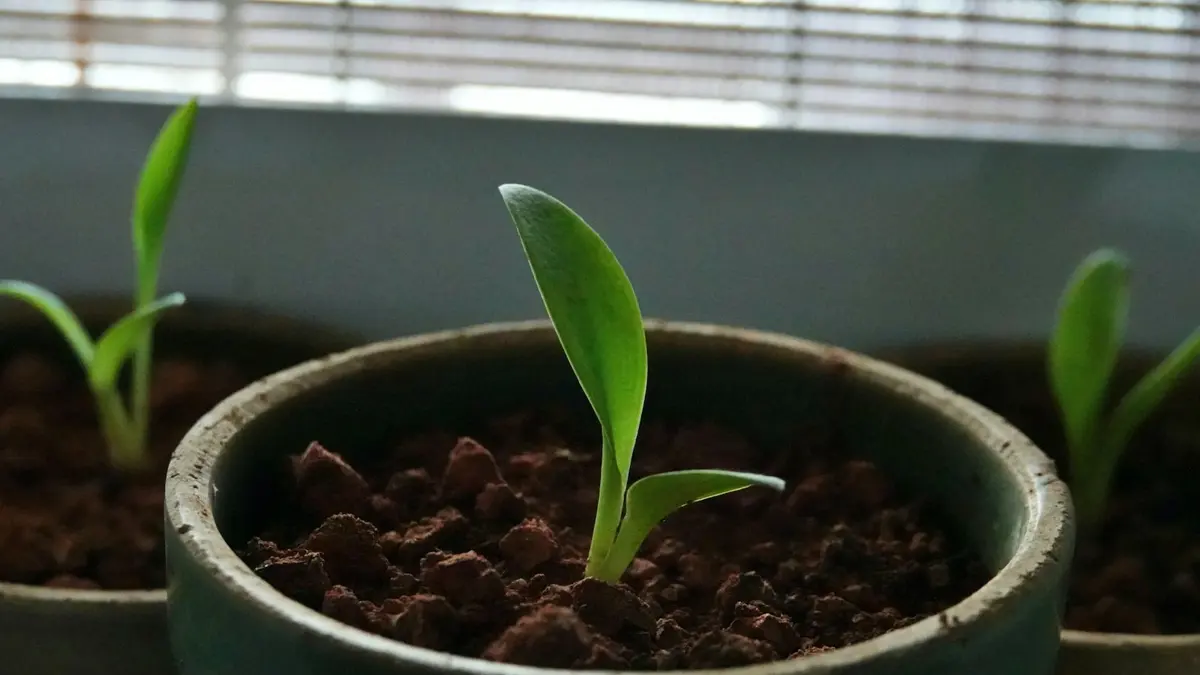
The topic decides everything else: your name, your audience, what you write and how the blog can eventually earn. A good blog topic sits where three things overlap:
- You can write about it for years. Aim for a subject that could fill at least 50 to 100 useful posts without running dry.
- People search for it. There should be real questions and problems you can answer.
- It can support your goal. If you want income, there should be products, services or advertisers related to the topic.
Narrow is usually better than broad at the start. "Cooking" is crowded; "quick weeknight vegetarian meals for families" gives you a clear audience and a clear voice. You can widen the scope later once the blog has readers.
Quick Topic Test
Write down 20 post titles you could publish in your first three months. If that feels easy and exciting, the topic is a good fit. If you struggle to reach ten, keep looking.
Step 2: Pick a Domain Name
Your domain is your blog's address. Good blog domains are:
- Short and easy to spell after hearing it once.
- Brandable, so it can grow with you, rather than locked to one narrow keyword.
- A .com where possible, or a well-known alternative such as a country domain if your audience is local.
- Free of hyphens and numbers, which people forget or mistype.
Check that the name is not a trademark and that matching social handles are available. Many hosts include a free domain for the first year with annual or longer hosting plans, which keeps setup simple. Remember that the domain renews every year at the registrar's regular price.
Step 3: Choose WordPress Hosting
Hosting is the biggest ongoing cost of a self-hosted blog and the biggest factor in how fast and reliable it is. For a new blog, shared WordPress hosting is enough. Look for:
- One-click WordPress installation.
- Free SSL so your blog loads over HTTPS.
- Automatic backups.
- Page caching or easy integration with a caching plugin.
- A clear upgrade path when traffic grows.
- Reasonable renewal prices, not just a low first-term price.
As one example, Hostinger's WordPress Premium plan was $1.99 per month on a 48-month term during its November 2026 sale and renews at $10.99 per month. It covers up to three websites, weekly backups and a free domain for the first year. That renewal gap is typical of budget hosting, so plan your budget around the renewal rate rather than the sale price.
For a full comparison, see our best WordPress hosting guide, the cheapest WordPress hosting list and the Hostinger review.
Step 4: Install WordPress
Most WordPress hosts install WordPress for you during signup or offer a one-click installer in the control panel. The usual process:
- Buy your hosting plan and connect or register your domain.
- Open the WordPress installer in your host's dashboard.
- Choose your domain and, if asked, the site title.
- Create an admin username and a strong password. Avoid "admin" as a username.
- Wait a minute or two while the host installs WordPress and sets up SSL.
- Log in at yourdomain.com/wp-admin.
Some hosts also offer to install a theme or starter plugins during setup. You can accept these or skip them and choose your own.
Step 5: Configure the Essential Settings
Before you write anything, spend ten minutes in Settings:
- General: set your site title, tagline, time zone and date format.
- Permalinks: choose Post name so URLs look like yourblog.com/your-post-title. Set this before publishing so you never need to change URLs later.
- Reading: decide whether your homepage shows your latest posts or a static page.
- Discussion: decide whether you want comments, and turn on moderation for first-time commenters to reduce spam.
Then delete the sample post, sample page and any plugins you will not use.
Step 6: Choose and Set Up a Theme
Your theme controls how the blog looks. For a new blog, choose a theme that is fast, readable and well maintained, rather than one with the flashiest demo. Good free starting points include GeneratePress, Kadence, Astra and Blocksy.
To install one, go to Appearance → Themes → Add New Theme, search for it, then click Install and Activate. Our guide on how to install a WordPress theme covers premium themes and other methods.
Once the theme is active, focus on the settings that affect readers most:
- Body font size of around 17 to 20 pixels on desktop.
- Content width that keeps lines to a comfortable length.
- A simple header with your logo or site name, a short menu and search.
- A clean single post layout, since most readers land on individual posts.
For theme recommendations, see the best WordPress themes for blogs and how to choose a WordPress theme.
Choosing a Blog Name That Lasts
Your blog name and domain usually match, so choose them together. A good name tells readers roughly what to expect without boxing you in. "Weeknight Greens" signals vegetarian cooking but leaves room for salads, soups and meal plans; "Best Vegan Lasagna Recipes" does not.
A few practical tests help:
- Say it out loud. If you have to spell it for people, it will be mistyped.
- Check social handles on the platforms where your readers spend time.
- Search the name to make sure no established brand already uses it in your space.
- Imagine it in two years. Would it still fit if your topic widened slightly?
Once you register the domain, set it to auto-renew. Losing a domain because a card expired is one of the most painful and avoidable mistakes in blogging.
Planning Your Content Before You Write

A little planning makes the first months far more productive. Start with a simple content map:
- List the main subtopics within your niche. For a family vegetarian cooking blog, that might be quick dinners, batch cooking, lunchboxes, budget meals and seasonal recipes.
- Turn each subtopic into a category. Keep it to four to seven categories so readers can find their way around.
- Brainstorm questions your audience asks in each category. Search engines' autocomplete and "People also ask" boxes, forums and your own experience are good sources.
- Pick one cornerstone guide per category, a detailed post that covers the subtopic broadly and links to more specific posts.
- Schedule realistically. One good post a week beats five rushed posts followed by silence.
| Post Type | Purpose | Example |
|---|---|---|
| Cornerstone guide | Covers a subtopic in depth; other posts link to it | The complete guide to batch cooking |
| How-to post | Solves one specific problem | How to freeze cooked rice safely |
| List post | Gives options or ideas | 15 lunchbox ideas kids actually eat |
| Comparison | Helps readers choose | Pressure cooker vs slow cooker |
| Personal story or opinion | Builds connection and voice | What a year of meal planning taught us |
Categories, Tags and Site Structure
WordPress gives you categories for broad groupings and tags for specific details. Use categories as your main navigation and assign each post to one primary category. Use tags sparingly, or not at all, because dozens of thin tag pages add little for readers.
A clear structure helps visitors and search engines understand what your blog covers. Add your main categories to the menu, link related posts to each other and link each post back to its cornerstone guide.
Images and Media
Good images make posts easier to follow, but large files slow your blog. Keep them in check:
- Resize images before uploading. Most blog layouts never display images wider than about 1,200 to 1,600 pixels.
- Compress and convert to WebP, either before upload or with an image optimization plugin.
- Write descriptive alt text that explains what the image shows.
- Use your own photos where you can. If you use stock images, use sources with clear licenses and keep a record.
- Avoid hosting video yourself. Upload videos to a video platform and embed them.
Comments and Community
Comments can build a community around your blog, but they also attract spam. Decide early whether you want them. If you do, turn on moderation for first-time commenters, use an anti-spam plugin and reply to genuine comments, especially in the first year when every reader matters. If you would rather focus on email and social channels, you can turn comments off under Settings → Discussion.
Step 7: Install a Few Essential Plugins
Plugins add features. Start with a small, focused set:
| Purpose | What to Install | Why |
|---|---|---|
| SEO | Yoast SEO, Rank Math or All in One SEO | Titles, descriptions, sitemaps |
| Caching | Your host's caching or a caching plugin | Faster page loads |
| Backups | Host backups or a backup plugin | Recover from mistakes |
| Security | A reputable security plugin, or host security | Login protection and scanning |
| Forms | A form plugin such as WPForms Lite | A contact page |
| Spam | An anti-spam plugin if comments are on | Keep comments clean |
Avoid installing plugins "just in case." Each one adds updates to manage and potential conflicts. Our guides to WordPress caching plugins and adding a contact form in WordPress cover two of the most important choices.
Step 8: Create Your Core Pages
Before launching, create the pages readers and partners expect:
- About: who you are, who the blog is for and why readers should trust you.
- Contact: a simple form or email address.
- Privacy Policy: WordPress includes a privacy policy page draft under Settings → Privacy that you can edit. Add what you actually collect, such as analytics and form data.
- Disclosure or terms: required if you plan to join affiliate programs or publish sponsored posts, under the rules of the programs and advertisers you work with.
Add these pages to your footer menu so they are always easy to find.
Writing Your About Page
Many readers visit the About page before deciding whether to trust a new blog, so it deserves more than a sentence. A good About page:
- Explains who the blog is for and what readers will get from it.
- Introduces you, with a real photo if you are comfortable sharing one, and any relevant experience or qualifications.
- Tells a short story about why you started, which gives readers a reason to connect.
- Points readers to your best posts, so new visitors have a clear next step.
- Invites readers to subscribe to your email list.
Keep it honest and specific. Readers can tell the difference between real background and inflated claims, and trust is what turns a one-time visitor into a regular reader.
Staying Motivated Through the Quiet Months
The hardest part of blogging is the period when you publish regularly but traffic barely moves. It helps to set goals you control, such as posts published, guides updated or subscribers gained, rather than traffic targets you cannot directly influence. Batch-write posts when you have energy, keep a running list of ideas and remember that search traffic often lags months behind publishing.
Step 9: Write and Publish Your First Posts
Now for the part that matters most. Aim to publish five to ten solid posts before you promote the blog, so new visitors have more than one thing to read.
What to Write First
- Answers to specific questions your audience searches for, such as "how to store fresh herbs."
- Beginner guides that explain the basics of your topic.
- Comparisons and recommendations if your topic involves choosing products or tools.
- A cornerstone guide: one detailed, genuinely useful post that other posts link to.
How to Write a Good Blog Post
- Start with the reader's question and answer it early.
- Use clear headings so readers can scan.
- Keep paragraphs short, especially for mobile readers.
- Add useful images, compressed so they load quickly, with descriptive alt text.
- Link to your related posts so readers keep exploring.
- Write a clear title and meta description in your SEO plugin.
- Proofread, then publish.
In the block editor, you add each paragraph, heading, image and list as a block. Press "/" to search for a block type quickly.
Step 10: Promote and Grow Your Blog
Publishing is only half the job. To bring in readers:
- Submit your sitemap to Google Search Console so Google can discover your posts.
- Build an email list from day one with a simple sign-up form. Email is the one audience channel you own.
- Share posts where your audience spends time: communities, forums and social platforms relevant to your topic.
- Update older posts as you learn more; refreshed content often performs better.
- Publish consistently. A steady schedule beats bursts followed by long gaps.
- Check analytics monthly to see which posts attract readers, then write more on those topics.
Search traffic takes time. Many new blogs see little organic traffic in the first few months, then grow as posts gain trust and links. Keep publishing useful posts while you wait.
Tracking What Works
You cannot improve what you do not measure. Two free tools cover most needs:
- Google Search Console shows which searches bring people to your blog, how often your posts appear in results and any indexing problems.
- An analytics tool, such as Google Analytics or a privacy-friendly alternative, shows which posts people read, how they arrive and where they leave.
Review both once a month. Look for posts that get impressions but few clicks, which may need better titles, and posts that attract readers, which deserve related follow-up posts and internal links. Small, regular improvements based on real data compound over time.
How to Monetize a WordPress Blog
Once the blog has steady readers, these are the most common ways to earn:
| Method | How It Works | When It Fits |
|---|---|---|
| Display ads | Ad networks pay per impression or click | High traffic, broad topics |
| Affiliate marketing | Commission when readers buy through your links | Topics with products to recommend |
| Sponsored content | Brands pay for posts or mentions | Engaged, niche audiences |
| Digital products | Sell e-books, templates or courses | You have expertise readers will pay for |
| Services | Coaching, consulting or freelance work | Blog builds authority in your field |
| Memberships | Paid access to premium content or community | Loyal, engaged readers |
Choose one or two methods that fit your topic rather than trying everything at once. If you plan to join affiliate programs, read the rules of each program and disclose your relationships clearly. Our best WordPress themes for affiliate marketing guide covers the design side.
Keeping Your Blog Healthy
A blog is a living site. Once a month:
- Update WordPress, your theme and plugins, after a backup.
- Check that backups are working.
- Look for broken links and fix them.
- Review speed with PageSpeed Insights, especially on mobile.
- Remove plugins you no longer use.
Our WordPress speed optimization guide covers the performance side in detail.
Common Mistakes New Bloggers Make
- Choosing a topic too broad to stand out in.
- Spending weeks on design before writing anything.
- Installing too many plugins, which slows the site and adds maintenance.
- Changing permalinks after publishing, which breaks links.
- Writing for themselves instead of readers. Answer real questions.
- Not building an email list early.
- Giving up after a few months. Most blogs grow slowly before they grow quickly.
Your First 30 Days: A Simple Plan
| Week | Focus |
|---|---|
| Week 1 | Choose topic and name, buy hosting, install WordPress, configure settings |
| Week 2 | Install theme and essential plugins, create About, Contact and Privacy pages |
| Week 3 | Write and publish your first three to five posts |
| Week 4 | Publish more posts, submit sitemap, set up an email sign-up form, share with your community |
Final Thoughts
Starting a WordPress blog comes down to a handful of decisions: a topic you can sustain, a domain, reliable hosting, a fast theme and a small set of plugins. The technical part takes an afternoon. The real work, and the part that decides whether the blog succeeds, is publishing helpful posts consistently and building a relationship with readers.
When you are ready to set up, compare hosts in our best WordPress hosting guide, then follow the steps above in order. For more setup help, browse all our WordPress guides.
Frequently Asked Questions
How Much Does It Cost to Start a WordPress Blog?
The WordPress software is free. Most bloggers pay for hosting and a domain. Entry WordPress hosting can cost a few dollars a month on a long first term, but renewal prices are higher, so budget for the renewal rate. A free theme and free plugins are enough to start.
Can I Start a WordPress Blog for Free?
You can start on the free WordPress.com plan, but it uses a WordPress.com subdomain, shows WordPress.com ads to visitors and does not allow plugins. For a blog you plan to grow or monetize, self-hosted WordPress with your own domain is the better long-term choice.
Do I Need to Know How to Code to Start a Blog?
No. Hosts install WordPress for you, themes handle the design and the block editor lets you write and format posts without code. Basic comfort with settings and menus is enough.
How Long Does It Take to Set Up a WordPress Blog?
The technical setup, including hosting, WordPress, a theme and essential plugins, can be done in an afternoon. Planning your topics and writing your first few posts takes longer and matters more.
How Do WordPress Blogs Make Money?
Common methods include display ads, affiliate programs, sponsored posts, selling digital products or courses, and offering services. Most blogs need steady traffic before income becomes meaningful, so focus on useful content first.
Should I Use WordPress.com or WordPress.org for a Blog?
WordPress.com is easier to start and fully hosted, but paid plans are needed to remove ads and add plugins. Self-hosted WordPress.org gives you full control over themes, plugins and monetization. Most serious bloggers choose self-hosted WordPress.
Ready to Set Up Hosting for Your Blog? See Hostinger's WordPress Plans
Check the current plans, site limits and refund terms on the official Hostinger website.
See Hostinger Plans